


.svg)

WordPress vs. Webflow: an honest comparison
WordPress vs. Webflow, compared honestly: when each system fits, what drawbacks Webflow has and which hidden costs WordPress brings with it over the years.
In short: Whether WordPress or Webflow is right depends on your requirements. WordPress is the right choice for large shops, large editorial teams or special plugins, if you are prepared to maintain a developer environment. Webflow is a better fit for a fast, low-maintenance marketing website without update chaos, and that describes most company websites. Maze & Friends from Vienna builds in Webflow and tells you openly when WordPress is the better fit.
You want to have a new company website built, and before any design exists, the first big question is already on the table: which system will the thing actually run on? More depends on it than most people think, namely what you will pay for maintenance later, how quickly you can change content yourself and how often you have to go back to your agency at all.
Almost always, two names come up: WordPress and Webflow. Most answers come from agencies that build on one of the two platforms and recommend exactly that one. Maze & Friends builds websites in Webflow, and we say so openly. Even so, we are attempting a fair comparison here, including the cases in which WordPress is the smarter decision. A platform that doesn’t suit your case ends up costing more than it saves.
Is WordPress or Webflow better?
Neither platform is better across the board; the question is which one suits your specific project. The most honest way to answer it is through your requirements. A feature list helps little here.
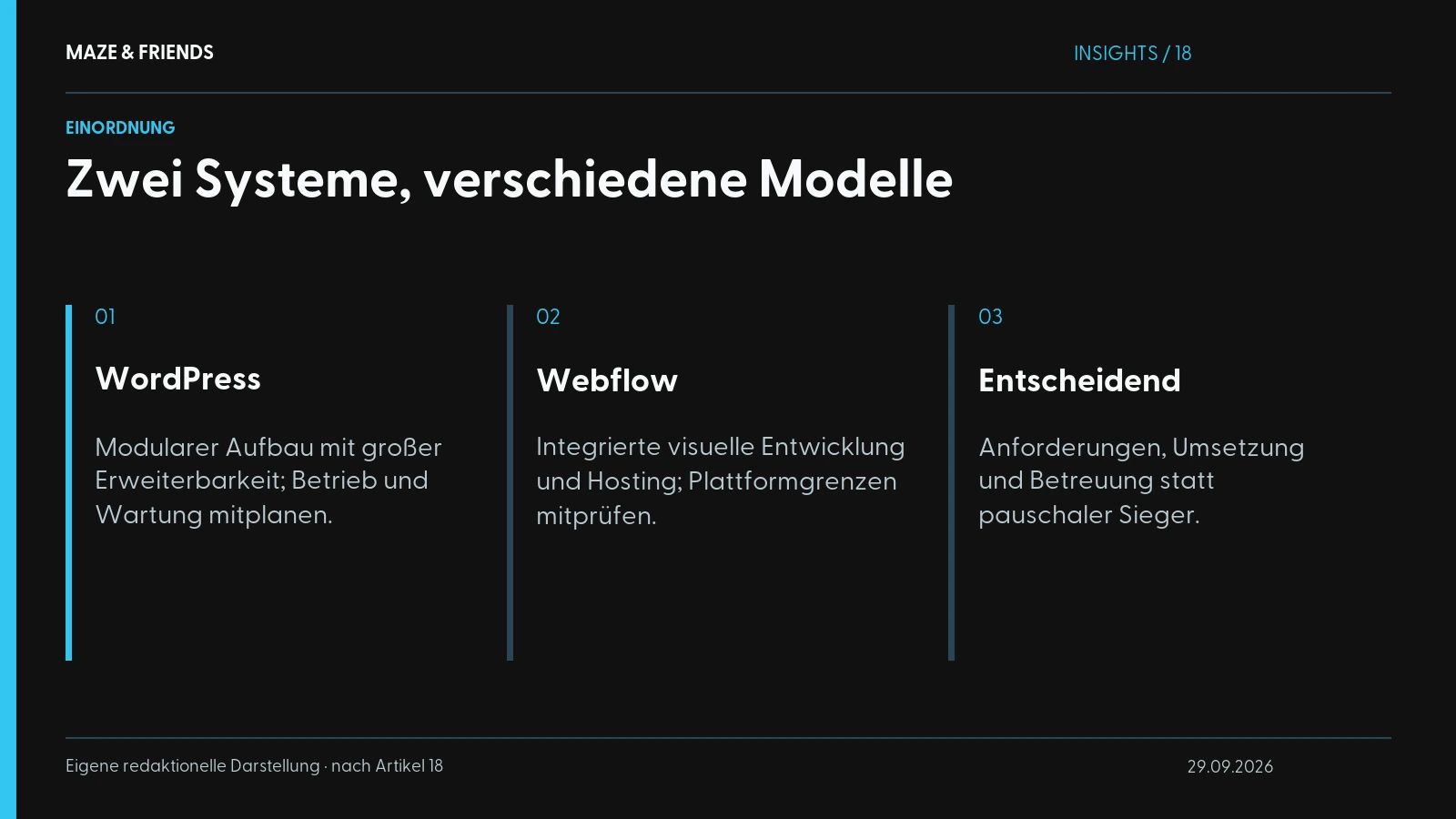
WordPress is an open-source system originally built for blogs, and according to WordPress.org (in German), it now powers a large part of the web. It thrives on plugins, small extensions for pretty much everything, from shops and booking systems to forms. This openness is both its strength and its weakness: you can build almost anything, but you have to take care of hosting, updates, security and plugin compatibility yourself, or pay someone to do it.
Webflow is a visual website tool for professionals that generates clean code and delivers hosting, security and maintenance in one package. You or your agency build the design directly in the browser, without clicking templates together and without programming everything from scratch. The result is a website that loads fast, is technically tidy and that you can maintain yourself after launch, without fearing you will break something with every text change.
First, a quick decision aid:
| Criterion | WordPress | Webflow |
|---|---|---|
| Ideal for | Large systems, shops, large editorial teams, special plugins | Marketing & company websites, landing pages, design-led projects |
| Maintenance | You take care of updates, backups, security | Runs in the background, no plugin updates |
| Design freedom | High, but often dependent on templates or developers | Very high, pixel-perfect and visual |
| Maintaining content yourself | Possible, more or less safely depending on the setup | Easy and safe via the Editor |
| Loading time out of the box | Heavily dependent on the setup and plugins | Usually fast and lean |
| Running costs | Hosting + plugins + maintenance, often hard to calculate | Predictable platform fee |
If you already have a clear gut feeling on these points, you know your direction. If not, it is worth looking at the drawbacks, which often reveal more than the advantages.
What is Webflow, and who is it worth it for?
Webflow is a platform on which you build a complete, professional website visually and publish it directly. Hosting is included, there is no patchwork of plugins, and there is no WordPress back end that looks different after every update. You design what you see, and in the background Webflow writes clean HTML and CSS code, the technical foundation that Google and screen readers can both read well.
Webflow differs markedly from classic website builders such as Wix or Jimdo. It is a tool for professionals who want to control design and structure down to the last detail. If you only want to “quickly put something up yourself”, you don’t need it. That is why specialised studios and a good Webflow agency work with it: the freedom is there, but it takes skill.
Who Webflow is worth it for
Webflow for businesses is the right choice especially if your project fits one of these patterns:
- You want a strong marketing website that loads fast, looks good and brings in enquiries, without every change turning into a ticket for the agency.
- Your team should be able to maintain content itself, but without the risk of wrecking the layout with one wrong click. The Editor gives you exactly this safe zone.
- Design is a competitive factor for you, for example for personal brands, consultancies, agencies, tech companies or anywhere the website has to build trust.
- You want predictable costs and not a system that builds in a new maintenance risk with every plugin update.
- Clean tracking and performance matter to you. Webflow works well with modern setups such as GA4 and server-side tracking, if it is set up correctly. How to do that cleanly is covered in our guide to setting up GA4.
For clients in the DACH region, there is one more point that often gets overlooked: data protection and loading time. A lean Webflow site with properly integrated consent management is usually easier to run in line with the GDPR than a WordPress installation with a dozen plugins, each of which could be loading data from somewhere. Fewer moving parts means a smaller attack surface, legally and technically.
When WordPress still wins
To keep this honest: Webflow is not built for everything. WordPress is the better choice if you need an extensive online shop with hundreds of products and complex logic, coordinate a large editorial team with many roles and permissions, or depend on a specific plugin that only exists in the WordPress ecosystem, such as industry software, members’ areas or very specialised integrations. In these cases WordPress is not the compromise but the right answer.

What are the drawbacks of Webflow?
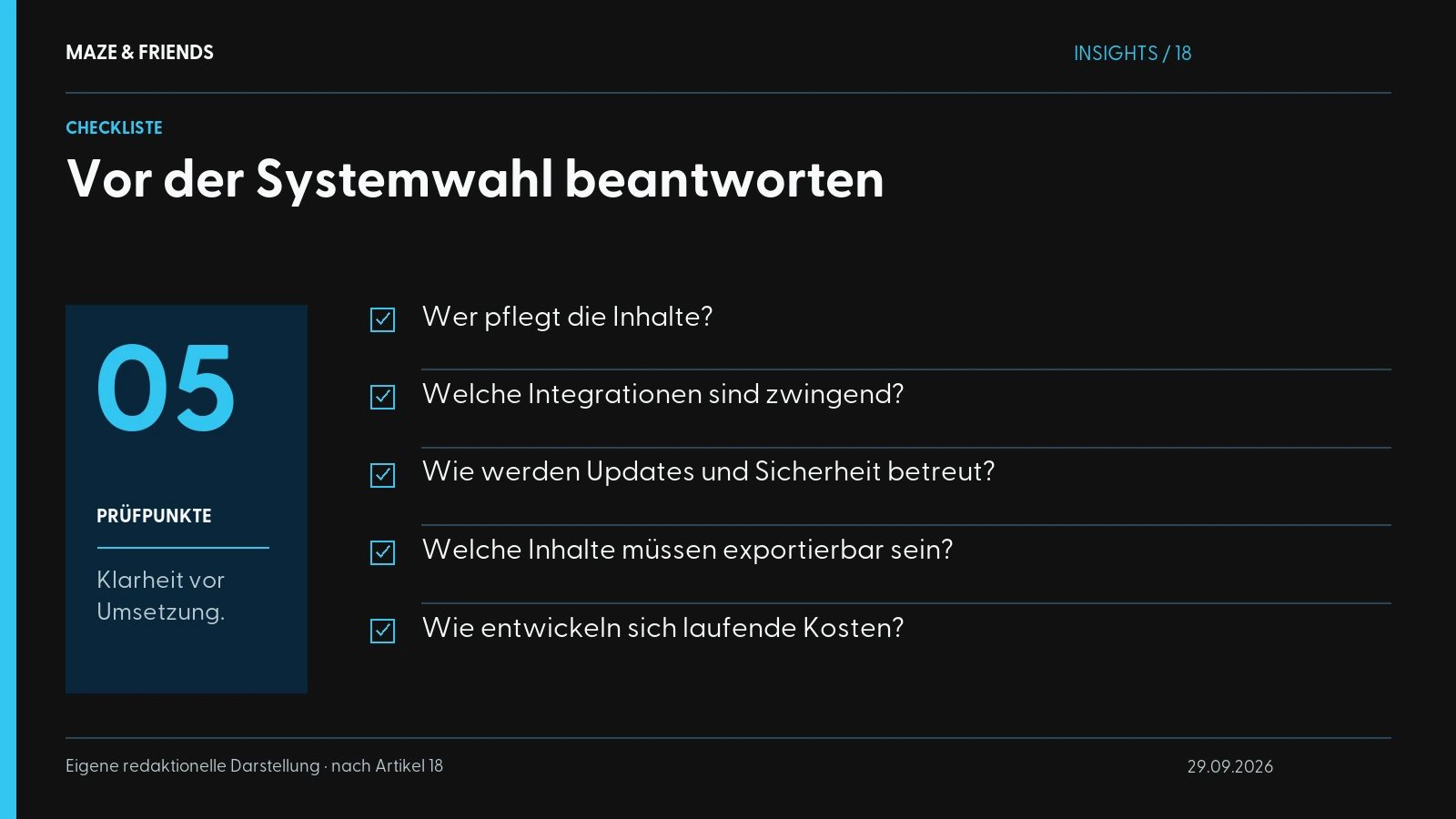
Every platform has a downside, and anyone who sells you Webflow without drawbacks is selling you something. You should know these Webflow drawbacks before you decide:
1. Ongoing platform costs. Webflow is a paid service. You pay a monthly or annual fee for hosting, and more depending on the range of features. That is predictable, but it is a recurring cost. With a self-hosted WordPress site, hosting can in theory be very cheap; there, you pay with maintenance effort.
2. Fewer extensions than WordPress. WordPress has a plugin for practically every requirement. Webflow’s ecosystem is smaller. For the vast majority of company websites that is easily enough, but if you need very specialised features, you may have to build them in individually instead of simply installing them.
3. E-commerce has limits. For a simple to mid-sized shop, Webflow works well. With a large shop with many variants, complex tax and shipping handling or marketplace connections, you hit limits sooner than with a system specialised in exactly that.
4. The learning curve is real. Webflow is powerful, and that power means complexity. A layperson will not click together a professional Webflow site in an hour. That is why, for serious projects, it pays to work with someone who has mastered the tool; otherwise the supposed DIY saving quickly turns into a time trap.
5. You commit to one platform. Your site lives on Webflow. Moving to another system is possible, but not at the push of a button. With WordPress you have more portability, at least in theory. In practice, a WordPress migration is rarely trivial either, but the point is fair.
An honest assessment: for a marketing and company website, these drawbacks usually weigh little, because in return you get freedom from maintenance, speed and design control. For a large shop or a plugin-heavy special project, they weigh heavily.
What hidden costs do WordPress and Webflow have?
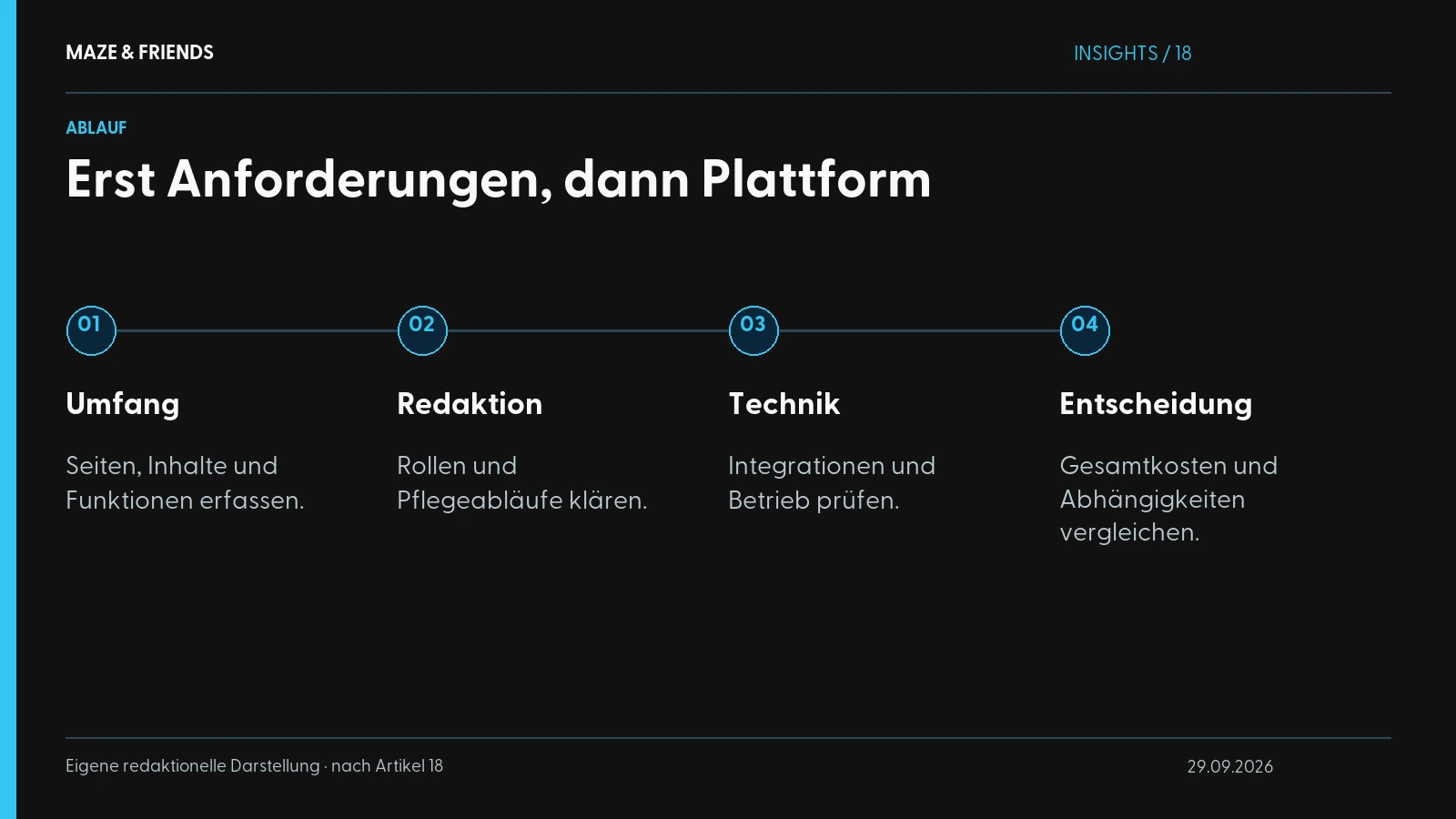
Most people compare only the bill for the build, and that is the wrong comparison. It only becomes meaningful over three to five years, including maintenance, security and the time your team puts into changes.
With WordPress, the visible costs are often low and the invisible ones high. You pay for hosting, perhaps for a few premium plugins, but the real bill arrives over the years: updates that break plugins, security gaps that need patching, a setup that nobody understands any more after two years. Ignore it and you pay anyway, just later and usually unplanned.
With Webflow, it is the other way round: the platform fee is visible and predictable, and in return the typical maintenance surprises largely disappear. For many companies, exactly this predictability is worth the extra cost. That doesn’t necessarily make Webflow cheaper, but it does make it calculable.
What a website costs for your project depends on scope, content and integrations. At Maze & Friends you receive a fixed-price quote for it after the initial call.

What makes for a good build?
What almost always gets lost in the platform debate is that it takes the execution to make a good website. A badly built Webflow site is slower and uglier than a well-built WordPress site, and the reverse is just as true.
What counts in the end is independent of the system:
- Clear structure and message. Anyone who lands on your site must understand within seconds what you do and why it is relevant to them. No platform will save you from a muddled message.
- Conversion logic instead of decoration. A website is a tool and should bring in enquiries, leads or sales. How that works in practice is explained in the guide Conversion optimisation without buzzwords.
- Clean tracking from day one. If you don’t measure what happens, you optimise blind. Tracking therefore belongs in the foundation. Bolted on afterwards, it remains patchwork.
- Maintainability. Will you still be able to change content yourself in a year, or will you need the agency for every misplaced comma? That is one of the most important questions, and it is asked far too rarely during the build.
This is exactly where we at Maze & Friends see the most common mistake: companies argue about WordPress versus Webflow and overlook that the real decision is who they build with, and whether that someone thinks strategy, design and technology together or just fills a template.
Webflow for marketing websites, WordPress for special cases
Webflow vs. WordPress is not a matter of faith, even if it is often argued like one. For the typical company and marketing website in the DACH region, which should be fast, low-maintenance, strong on design and cleanly tracked, Webflow is today the smarter choice in most cases. For large shops, plugin-heavy special systems or editorial teams with many roles, WordPress remains strong.
Maze & Friends builds websites in Webflow because it suits the projects clients bring us in for. If WordPress is the better answer for you, we will tell you: we would rather be honest than hired.
Want to know what really fits your case? Instead of platform gut feeling, we look at your requirements in concrete terms: the goal of the website, your team, budget and growth plans. Then we tell you honestly whether Webflow, WordPress or something in between is the right foundation. Book a no-obligation initial call with Maze & Friends, and we will work out together what makes sense for you.
From the studio: car.acho: website, photos and videos · Maze & Friends as its own client: SEO blog and case studies.
Frequently asked questions
What is Webflow, in simple terms?
Webflow is a platform on which you design professional websites visually and publish them directly, with hosting, security and maintenance in one package.
In the background, Webflow generates clean HTML and CSS code that Google and screen readers can read well. Unlike Wix or Jimdo, Webflow is aimed at professionals who want to control design and structure down to the last detail. Content such as blog articles or references is managed in the built-in CMS, the platform’s content management system.
What does Webflow cost?
Webflow costs an ongoing platform fee for hosting and features; the amount depends on the site plan, for example whether you need the CMS, more traffic or a shop.
Paying annually makes the plan cheaper than paying monthly. For collaboration in a team or with an agency, a Workspace plan may also be needed. Webflow publishes its current prices itself and adjusts them occasionally. On top come one-off costs for concept, design and build; in return, the typical spending on plugin updates and security maintenance falls away.
For which companies is Webflow better than WordPress?
Webflow is better than WordPress for companies that want a fast, low-maintenance marketing website that is strong on design and that their team can maintain themselves.
Typical examples are consultancies, agencies, tech companies and personal brands, where the website has to build trust. WordPress wins for large shops with complex logic, editorial teams with many roles and projects that need a special plugin, for example for members’ areas or industry software. Neither platform is better across the board. Your requirements tip the balance.
Is WordPress still up to date in 2026?
WordPress is not outdated in 2026: it still powers a large part of the web, is actively developed and offers a plugin for almost every requirement.
Its weakness is operation: hosting, updates, backups, security and plugin compatibility are things you have to organise or pay for yourself. For large shops, editorial teams with many roles and plugin-heavy special projects, WordPress remains a strong choice. For a lean marketing website, on the other hand, this maintenance effort is often more than the project needs.
What alternatives to WordPress are there?
The main alternatives to WordPress are Webflow, TYPO3, headless systems such as Storyblok or Contentful, Shopify for online shops and simple website builders such as Wix or Squarespace.
- Webflow: design-strong marketing websites without plugin maintenance
- TYPO3: large organisations with many pages, languages and roles
- Headless systems: content for several channels, with more development effort
- Shopify: online shops as the core business
- Website builders: simple sites on a small budget
A system is only better than WordPress if it suits your project.
Is Webflow a website builder like Wix or a tool for professionals?
Webflow is a visual tool for professionals and not a website builder like Wix: specialised studios and agencies use it to build websites they control down to the last detail.
Instead of clicking templates together, you work with real layout building blocks such as CSS Grid and Flexbox, only visually. This freedom takes skill, and the learning curve is real. Typical examples of Webflow projects are company and marketing websites, landing pages, campaign pages, blogs and portfolios. The Maze & Friends website also runs on Webflow.
What are the drawbacks of Webflow?
The main drawbacks of Webflow are ongoing platform costs, fewer extensions than WordPress, limits for large-scale e-commerce, a real learning curve and platform lock-in.
Some special features have to be built in individually instead of installing a plugin. Moving to another system is possible, but not at the push of a button. For marketing and company websites, these points usually weigh little, because in return you get freedom from maintenance, speed and design control. For large shops or plugin-heavy special projects, they weigh heavily.
Is WordPress cheaper than Webflow?
WordPress is often cheaper to set up, but not automatically over three to five years, because maintenance, updates and security cost money or time on an ongoing basis.
The WordPress software itself is free; on top come hosting, premium themes or plugins and upkeep. With Webflow, the platform fee is visible and predictable, and typical maintenance surprises largely disappear. Compare the total costs over the years, including the time your team puts into changes.
Is Webflow good for SEO?
Yes, Webflow is good for SEO: lean code, usually fast loading times and full control over titles, meta descriptions, alt texts and page structure.
Webflow creates an XML sitemap automatically, you set up 301 redirects in the settings, and you add structured data via custom code. CMS pages such as blog articles also get their own SEO fields. Rankings still come from content, clean technical execution and linking. The platform alone is not enough.
Can my team maintain content in Webflow themselves?
Yes, in Webflow your team can change texts, images and CMS content themselves without putting the layout at risk, because content editing and design are separate.
People who only maintain content work in a restricted editing view, while design changes remain reserved for the professionals. You create blog articles, news or references as CMS entries via form fields. For this to work day to day, the site must be built from the start so that recurring content sits in the CMS rather than being fixed in the design. That is one of the biggest advantages over many WordPress setups.
Can I build a Webflow website myself?
You can build a Webflow website yourself, but for a professional company site you need web design know-how or an experienced Webflow agency.
Webflow is powerful and therefore not trivial: a layperson will not click together a professional site in an hour, and the supposed saving quickly turns into a time trap. For small private sites, doing it yourself is often enough. Good design, conversion logic and clean tracking depend on the execution; the tool alone does not deliver them.
Is Webflow suitable for an online shop?
Webflow is well suited to a simple to mid-sized online shop, but with many variants, complex tax and shipping handling or marketplace connections it reaches its limits.
Webflow offers its own e-commerce plans with a basket and checkout. Specialised shop systems or WordPress with shop extensions, however, have the larger ecosystem for complex logic. If the shop is your core business and is meant to grow strongly, choose the platform to suit the shop and think about the marketing website afterwards.
How much work is it to switch from WordPress to Webflow?
Switching from WordPress to Webflow means rebuilding the design plus moving the content, not a push-button job, but with careful planning it is very doable.
According to Webflow Help, structured content such as blog articles can be imported into the Webflow CMS via CSV file, while layouts are rebuilt. For SEO, what matters most are 301 redirects from every old URL to the matching new one, as Google also recommends for site moves (in German), so that rankings and backlinks are preserved. Plan tracking, forms and integrations afresh in the process instead of transferring them one to one.
Is a Webflow website GDPR-compliant?
A Webflow website can be run in compliance with the GDPR, but it is not compliant automatically: it depends on consent management, the privacy policy and how external services are integrated.
Because a lean Webflow site without dozens of plugins has fewer places that load data unnoticed, this is usually easier than with a WordPress installation with many extensions. Still check fonts, videos, maps and forms, and integrate third-party services locally or only after consent. The legal assessment is a matter for your data protection adviser.
Is Webflow faster than WordPress?
Webflow sites usually load fast and lean out of the box; with WordPress, loading time depends heavily on hosting, theme and plugins.
Webflow delivers pages via a global content delivery network (CDN) and does without a collection of plugins whose scripts pile up over the years. A well-built WordPress site can still be just as fast, and a badly built Webflow site with large images and videos is slow. The execution decides more than the platform.
Next step
Want to know which of this fits your company? We will work it out together in 30 minutes. Free and without obligation.
Pick a time