


.svg)

Setting up GA4 in five steps
Set up GA4 in five steps: property, Google Tag Manager, Consent Mode v2 and key events, plus the five mistakes that make your analytics data worthless.
In short: Setting up GA4 means creating a property, deploying the Google tag via Google Tag Manager, wiring up Consent Mode v2 and defining at least one conversion event (e.g. purchase or generate_lead) as a key event. Only then does Google Analytics 4 deliver reliable numbers. Skip steps and you measure traffic, but not what brings in revenue. Vienna-based Maze & Friends sets up GA4 in exactly this order.
You have GA4 running “somehow”. The code is in place, numbers are coming in, the client is happy. And yet you have the feeling that the data is wrong from start to finish. Channels show up as “Unassigned”, conversions appear twice or not at all, and nobody dares to make a budget decision based on these figures.
This is no isolated case. Most of the GA4 setups that land on our desk at Maze & Friends in Vienna technically “exist” but are practically useless. Yet Google Analytics 4 isn’t all that complicated; usually a handful of standard mistakes bring down the whole foundation. This article shows you how to set up GA4 cleanly and which mistakes make your data worthless.
How do I set up Google Analytics 4 (GA4) correctly?
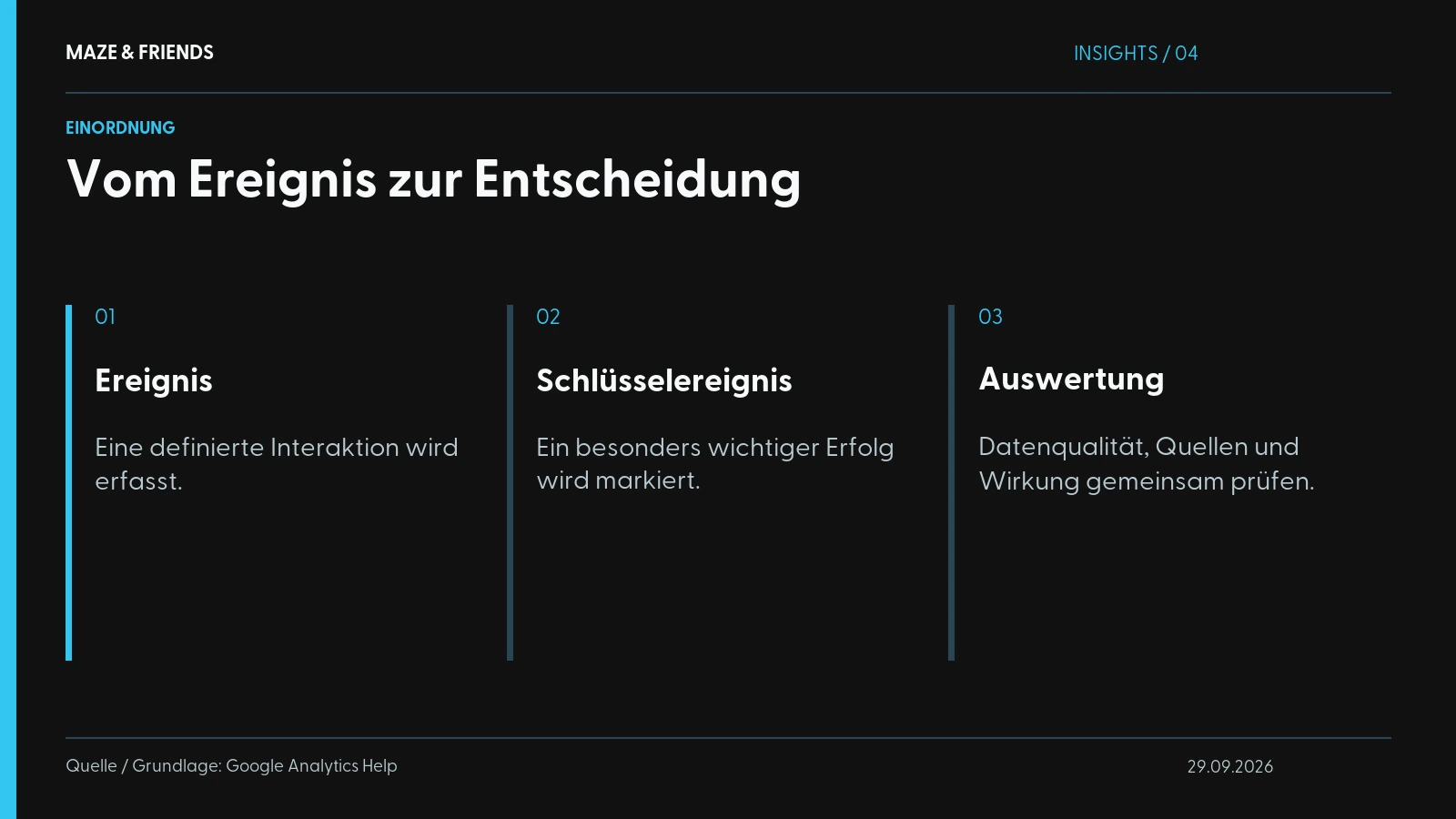
Google Analytics 4 (GA4) is the current version of Google Analytics: an event-based measurement system that records every user interaction as an “event” instead of only counting page views as before. That is the most important difference from the old Universal Analytics: in GA4, everything is an event. A page view, a click, a purchase: each is an event with parameters.
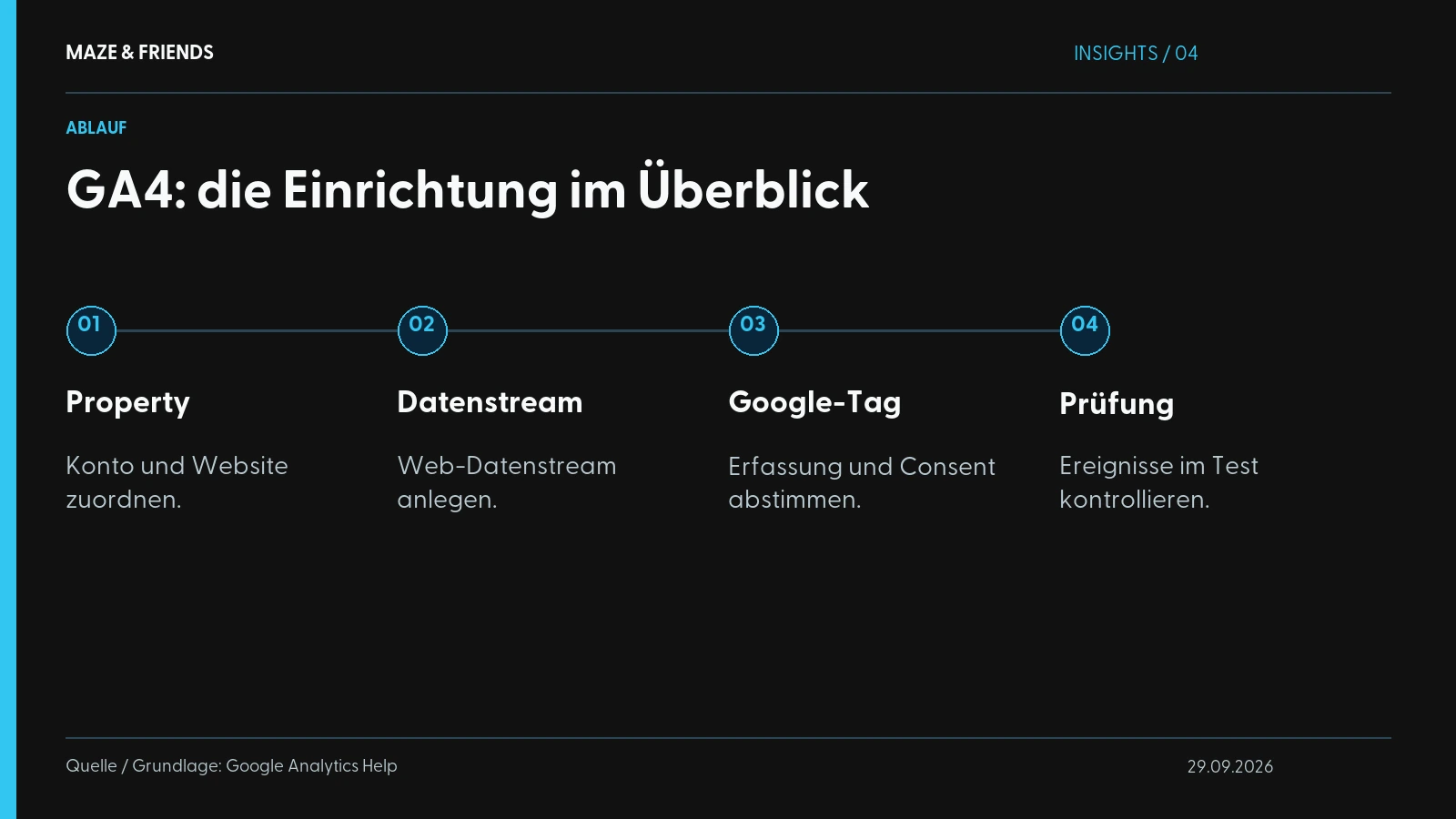
A clean setup takes five steps:

- Create a property. In GA4 Admin, create an account and a property underneath it. Set the time zone (Europe/Vienna or Europe/Berlin) and currency (EUR) correctly straight away; changing them later distorts your comparison periods.
- Set up a data stream. For a website, create a web data stream. You get a Measurement ID (
G-XXXXXXX). You’ll need it in a moment. - Deploy the Google tag via Google Tag Manager. Don’t hard-code the tag into the source code. Use Google Tag Manager (GTM), a container in which you manage all tracking tags centrally without needing a developer for every change. In GTM you create a “Google tag” with your Measurement ID and control it via the consent status (more on that shortly).
- Wire up Consent Mode v2. Without a working consent mechanism, your setup is not legally sound in the EU, and without Consent Mode you lose data. Both can be solved (see the GDPR section further down).
- Define key events. Mark the events that matter for your business as key events (formerly “conversions”). Without this step you’ll never know whether your marketing actually achieves anything.
You build a clean setup properly once and embed it in a tracking architecture that also fits together on the server side and in the ad channels. How it continues on the server side is explained in Server-side tracking explained.
Why does GA4 show “not set” / “Unassigned”?
The classic. You open the “Acquisition” report, and a big chunk of traffic shows up as “not set” or “Unassigned”. In plain English: GA4 couldn’t attribute a source to these sessions. And that is almost always self-inflicted.
The most common causes of “not set” and “Unassigned”:
- Missing UTM parameters. Your campaign links (newsletter, social, ads) carry no UTM tags or incomplete ones. Without
utm_sourceandutm_medium, GA4 can’t know where the click came from. - Declined consent. Users who decline the cookie banner deliver no channel data without Consent Mode, and GA4 fills the gap with “Unassigned”. In advanced Consent Mode, Google models part of it back.
- Redirects that swallow parameters. Redirects (e.g. from link shorteners or old URLs) that cut off the UTM parameters along the way.
- Late tag firing. The Google tag loads so late that the landing page information is already gone.
The fix is unspectacular but effective: a consistent UTM scheme for every single campaign, a properly configured Consent Mode and a check whether your redirects pass on query parameters. You’ll never get “Unassigned” down to zero, but pushing it down significantly is realistic.

Is GA4 free?
Yes. The standard version of Google Analytics 4 is completely free and entirely sufficient for the vast majority of companies. You pay nothing for the property, the tracking or the reports. The paid version is called GA4 360 and is aimed at large corporations with very high data volumes and special requirements (higher data limits, guaranteed SLAs, BigQuery export without sampling limits).
For a mid-sized B2B company, a trade fair organiser or a personal brand in the DACH region (Germany, Austria, Switzerland), you don’t need GA4 360. The “price” of GA4 is something else: your time for a clean setup. That is exactly where most people cut corners, and exactly what makes the data worthless.
One point that often gets overlooked: the BigQuery export is also available in the free version of GA4. If you really want to own your raw data and build your own analyses, activate it early. It only costs the usual BigQuery fees and gives you a data basis that nobody can take away from you.
Is GA4 GDPR-compliant?
GA4 can be operated in compliance with the GDPR, but it isn’t compliant automatically. It depends on your configuration. The critical point is the transfer of data to the US and the question of whether you process personal data without a valid legal basis.
What you need for a legally sound setup:
- A real cookie banner with opt-in. In the EU, GA4 may only load once the user has actively consented. A banner that merely “informs” and tracks anyway is the classic cease-and-desist risk.
- Google Consent Mode v2. This is the interface between your cookie banner and the Google tags. Consent Mode tells Google whether the user has consented. What happens when consent is declined depends on the mode: in basic mode the Google tags only load after consent, and if consent is declined nothing is sent to Google. Only in advanced mode does GA4 send cookieless signals when consent is declined, from which Google statistically models missing conversions if there is enough data. Which mode suits you is something to clarify with your data protection adviser as well. Since Consent Mode v2, the interface is effectively mandatory for using Google’s advertising products in the EU.
- IP anonymisation. Active by default in GA4; IP addresses are no longer stored in full.
- A data processing agreement (DPA) with Google and a complete privacy policy that names GA4.
- Check the retention period. By default it is often set to two months, which is too short for most analyses. 14 months is the sensible maximum in standard GA4.
To avoid any misunderstanding: we wire up tracking, we are not a law firm. For a binding legal assessment of your specific case, talk to a data protection lawyer. Wiring it up cleanly from a technical point of view is our part.
Which 5 mistakes make your GA4 data worthless?
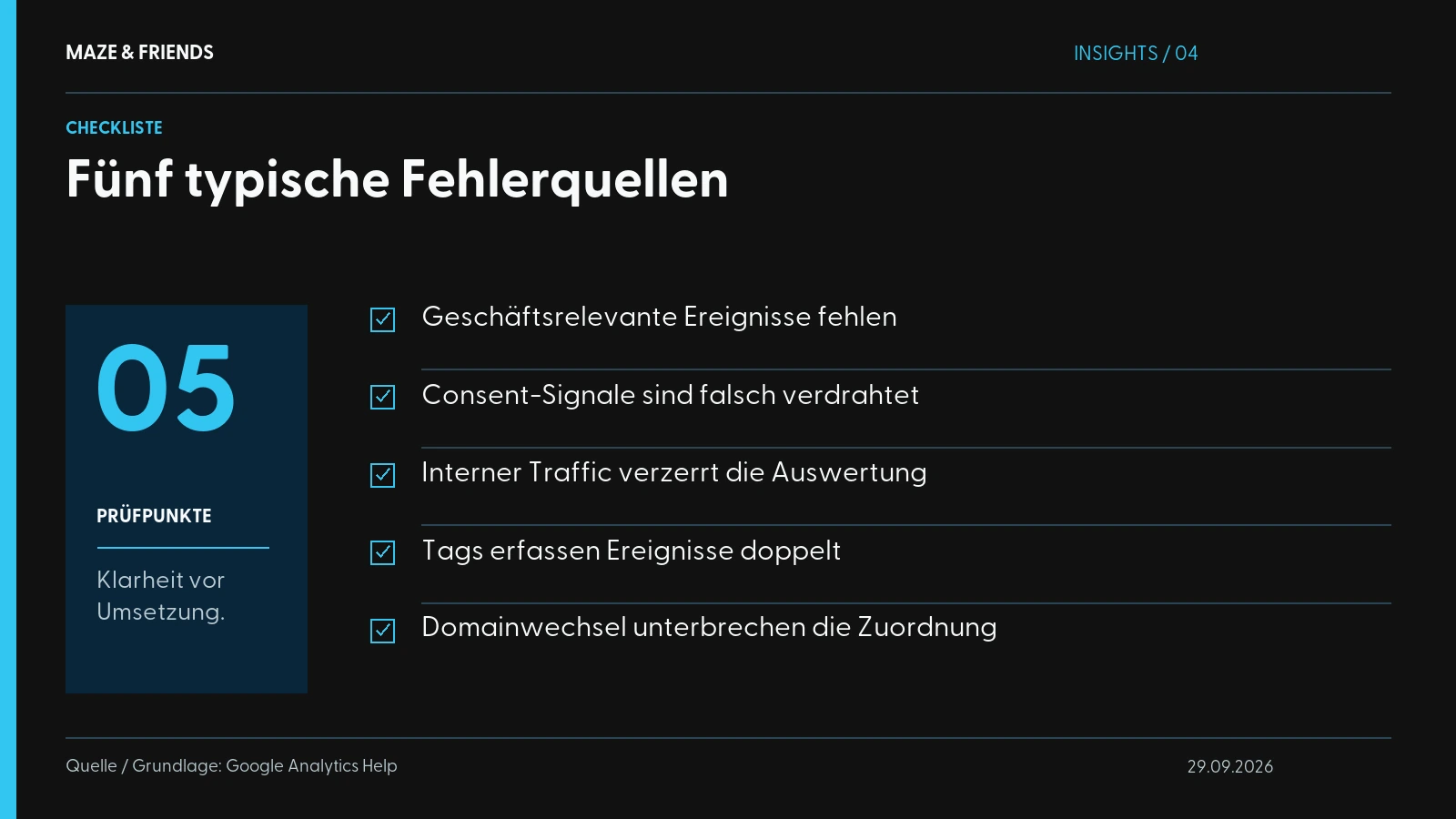
We see these five mistakes again and again, and any one of them is enough to make an entire setup useless.
1. No conversion tracking set up
GA4 dutifully measures page views and sessions, but nobody has defined what success is. Neither a purchase nor a lead nor a completed form is marked as a key event. That turns your analysis into a traffic count with no connection to the business. You know that people are coming, but not whether they do what you want them to.
The fix: define your most important actions as events and mark them as key events. When setting up purchase, generate_lead or form events, it’s worth looking at our guide to setting up conversion tracking, where we go step by step through what matters when configuring conversions in GA4.
2. Consent Mode is missing or wired up incorrectly
Either GA4 tracks before consent (legal risk) or it tracks nothing at all after consent is declined (data gap). Both are wrong. Without Google Consent Mode v2 between the banner and the tags, you have no clean bridge. The result: lots of “Unassigned”, missing conversions and an uneasy feeling about data protection. Wire up Consent Mode correctly and you get legally sound data, and in advanced mode additional modelled conversions for the declined sessions.
3. Internal traffic is counted too
You, your team, your agency, your developer: everyone visits the website regularly. If this traffic isn’t filtered out, you inflate your numbers and distort bounce rates and time on page. Especially on smaller websites, internal traffic carries noticeable weight. The solution: define internal traffic rules based on IP address (in GA4 under Data streams → Configure tag settings) and exclude them with a data filter.
4. Duplicate tracking
The Google tag is installed twice: once hard-coded in the theme, once via Google Tag Manager. Or a plugin and GTM both fire. The consequence: duplicate page views, halved bounce rates, doubled conversions. Numbers that look too good to be true, because they aren’t. Use the “Google Tag Assistant” browser extension to check whether your page_view fires exactly once. One source, one tag.
5. Cross-domain and referral chaos
You have an external checkout, a booking tool or a payment page on a different domain. Without cross-domain tracking the session breaks off, and your own payment provider shows up as a “referral” source, as if it had brought you the customer. That makes your conversion attribution rubbish. Set up cross-domain measurement in GA4 and add your payment and tool domains to the list of unwanted referrals.
The 5 mistakes at a glance
| # | Mistake | Symptom | Fix |
|---|---|---|---|
| 1 | No conversion tracking | Only traffic, no business connection | Define key events |
| 2 | Consent Mode missing | “Unassigned”, legal risk | Wire up Consent Mode v2 |
| 3 | Internal traffic | Inflated, distorted numbers | IP filter + data filter |
| 4 | Duplicate tracking | Doubled events/conversions | One source, one tag |
| 5 | Cross-domain chaos | Wrong attribution, self-referrals | Cross-domain + referral exclusion |
When does GA4 data turn into real decisions?
A clean GA4 setup is not an end in itself. It is the precondition for being able to talk about optimisation at all. Once the numbers are right, you suddenly see which channels really bring in revenue, where users drop off and which page is burning money. Only then is the next step worthwhile: deriving measures from the data. How that works in practice is shown in Conversion optimisation without buzzwords.
The point is this: a GA4 that has been set up incorrectly is worse than no GA4. Because wrong numbers lead to wrong decisions, and those cost more than an empty dashboard.
Clean GA4 first, budget decisions second
GA4 only delivers reliable numbers once the property, Tag Manager, Consent Mode and key events interlock cleanly. If you nodded at least once while reading about the five mistakes, it’s worth taking a close look at your setup before you make the next budget decision based on these numbers. Take the checklist above, go through your GA4 point by point and document what you find.
Don’t want to dig through every consent setting yourself? Vienna-based Maze & Friends sets up tracking so that it delivers reliable numbers instead of merely “running”: cleanly wired, with Consent Mode and ready for decisions. Send us your current setup and we’ll show you in the initial call where it’s getting stuck.
From the studio: Canal Toys: shop, guides and campaigns · car.acho: website, photos and videos.
Frequently asked questions
What is GA4 and how does it work?
GA4 (Google Analytics 4) is the current version of Google Analytics and the successor to Universal Analytics, which Google switched off in 2023 and 2024.
GA4 is event-based: every page view, click or purchase is an event with parameters that the Google tag on your website sends to Google. From these events GA4 builds sessions, users and reports, for example on channels, pages and devices. You mark the events that matter for your business, such as an enquiry or a purchase, as key events. Only then does GA4 measure results as well as traffic.
Why do I need Google Analytics as a company?
You need Google Analytics to see where your website visitors come from, what they do on the site and which channels lead to enquiries or sales.
For companies this is the basis for budget decisions: which campaign brings leads, which page loses visitors and where optimisation pays off. Linked with Google Ads, GA4 also shows ad costs and results in one report. Without defined key events, however, Google Analytics remains a pure traffic count with no connection to the business.
How do I create a Google Analytics account and a property?
You create a Google Analytics account by signing in to Google Analytics with your Google account, choosing “Start measuring” and then creating a property with a data stream.
- Choose an account name, such as your company name
- Create a property with the time zone Europe/Vienna or Europe/Berlin and the currency EUR
- Create a web data stream and note the Measurement ID (G-…)
- Integrate the Google tag via Google Tag Manager, including Consent Mode
- Define key events and set data retention to 14 months
Afterwards, check in the Realtime report whether page views are coming in.
Do I have to integrate GA4 via Google Tag Manager?
No, you can also build the Google tag directly into your website’s source code, but for serious tracking Google Tag Manager is the standard.
Tag Manager is a container in which you manage all tracking tags centrally, change events without a developer and tie the loading of tags to the consent given in the cookie banner. It is also the basis for later server-side extensions. The only important thing: install the Google tag in exactly one way. If it also sits in the theme or a plugin, GA4 counts page views and conversions twice.
What does Google Analytics 4 cost?
The standard version of Google Analytics 4 is free: you pay nothing for the property, tracking or reports.
Only GA4 360 is paid, aimed at large corporations with very high data volumes, offering higher data limits and guaranteed service levels, for example. For mid-sized companies, organisers or personal brands in the DACH region, the standard version is enough. Exporting raw data to BigQuery is also possible in the free GA4; only the usual BigQuery fees apply. The real price of GA4 is the time for a clean setup.
Is Google Analytics still permitted in Austria and Germany?
Google Analytics is not banned outright in Austria and Germany and can be operated in compliance with the GDPR, but it isn’t compliant automatically.
It depends on your configuration: GA4 only loads after active consent in the cookie banner, Consent Mode v2 is wired up, a data processing agreement with Google is in place and your privacy policy names GA4. The critical point remains the transfer of data to the US. A binding assessment of your specific case belongs in the hands of a data protection lawyer; the competent supervisory authority in Austria is the Austrian Data Protection Authority (Datenschutzbehörde).
Do I need a cookie banner for GA4?
Yes, in the EU you need a cookie banner with a genuine opt-in for GA4, because GA4 sets cookies and may only collect usage data after active consent.
A banner that merely informs and tracks anyway is the classic cease-and-desist risk. Technically, your consent management passes visitors’ decisions on to the Google tags via Consent Mode v2. After installation, test in a private browser window whether analytics cookies such as _ga are genuinely not set before consent. Whether your banner holds up legally is for your data protection adviser to judge.
What is Consent Mode v2 and what does it do?
Consent Mode v2 is a Google interface that passes the decision from your cookie banner on to GA4 and Google Ads. Depending on consent, the tags then behave differently.
Version 2 adds the signals ad_user_data and ad_personalization, which Google requires for advertising to users in the European Economic Area. In basic mode the Google tags only load after consent. In advanced mode they send cookieless pings without an identifier when consent is declined, from which Google models missing conversions once there is enough data. Which mode suits you is also a data protection question to clarify with your data protection adviser.
What does “(not set)” or “Unassigned” mean in GA4?
GA4 shows “(not set)” when no value arrived for a dimension; “Unassigned” means that GA4 could not assign a session to any default channel group.
Common causes are missing or inconsistent UTM parameters, meaning campaign tags in links, such as a utm_medium that doesn’t match the channel rules. Add to that redirects that cut off parameters, a Google tag that fires too late and gaps caused by declined consent. With custom parameters, the hand-over in the data layer or in Tag Manager is often missing. You’ll never get either value down to zero, but with a consistent UTM scheme and a clean Consent Mode you can bring both down significantly.
Why is no data arriving in GA4?
If no data arrives in GA4, usually the Google tag isn’t firing, the Measurement ID is wrong or you didn’t consent in the cookie banner while testing.
Other typical causes are an unpublished container in Tag Manager, an ad blocker in your own browser or an active internal traffic filter that hides your own visits. First check with Google Tag Assistant or the Tag Manager preview whether the tag fires, then look at the Realtime report or DebugView. Standard reports show new data with a delay, sometimes only after one to two days.
What is the difference between an event and a key event in GA4?
In GA4, an event is any recorded user interaction; a key event is an event you have marked as business-relevant, such as a purchase or an enquiry.
Since 2024, “key event” has been the name for what GA4 used to call a conversion. Only once it is marked does an event appear in the key event reports and become importable into Google Ads, where the term conversion has stayed. Mark only a few events that are genuinely tied to revenue, for example purchase or generate_lead, otherwise you water down your measurement of success.
How do I create custom reports in GA4?
You create custom reports in GA4 in the “Explore” section, where you freely combine dimensions and metrics, for example as a table, funnel or path exploration.
You customise the standard reports via the Library and add them to the navigation; for this you need editor rights in the property. For regular management reports, the free Looker Studio, which connects directly to GA4, is a good fit. Note: explorations only access data within the configured retention period, so set it to 14 months right at the start.
How do I measure time on page in GA4?
GA4 measures time on page as average engagement time, meaning the time during which your page was actually active in the foreground of the browser.
Then there is the engagement rate: a session counts as an engaged session if, by default, it lasts longer than 10 seconds, contains a key event or has at least two page views. The bounce rate is the share of sessions without engagement. Classic session duration is still available as a metric, but it is less meaningful. Filter out internal traffic, otherwise your own visits distort the values.
How long does it take to set up GA4 properly?
A clean basic GA4 setup with a property, the Google tag via Tag Manager, Consent Mode and the most important key events can be done in one working day.
Realistically it will be two to three days if cross-domain tracking, e-commerce events and a server-side setup are added. After that, the test run until genuinely clean data flows takes another one to two weeks. With good instructions you can manage the basic setup yourself; Consent Mode, cross-domain and duplicate tags are where it gets tricky. If you have it set up for you, the account and property should be registered to your company, not to the agency.
What alternatives are there to Google Analytics?
Well-known alternatives to Google Analytics are Matomo, etracker, Piwik PRO and lean tools such as Plausible.
Matomo is open source and can also be run on your own servers; etracker and Piwik PRO are European providers. The price of switching: the direct connection to Google Ads with cost data, audiences and conversion import disappears, and you rebuild your reports. Depending on its configuration, an alternative may also need consent in the cookie banner; clarify this with your data protection adviser. Decide based on your data protection standards, your use of advertising and your in-house expertise.
Next step
Want to know which of this fits your company? We will work it out together in 30 minutes. Free and without obligation.
Pick a time
Manuel Zellnig has been building visibility for companies since 2018: brand film, personal branding, performance marketing and AI visibility. Qualified advertising specialist (Werbeakademie Wien), Bachelor in Business Management (Carinthia University of Applied Sciences), author of the book ‘Mobile Apps zur Messung der Kundenzufriedenheit’ (2017, in German) and creative expert for the Austrian Economic Chamber (WKO) in two transformation guides. He measures before he recommends and writes here about what actually works in projects.
Publications and interviews: WKO transformation guide for printers (in German) · WKO transformation guide for florists (in German) · Interview with Ghezzo (in German) · ‘Heute’ on Viennese start-ups (in German)