


.svg)

Conversion tracking for Google Ads and Meta
Set up conversion tracking: connect Google Ads, GA4 and Meta with server-side tagging and the Conversions API so that every conversion counts again.
In short: Clean conversion tracking means that every conversion, in other words every desired action such as a ticket purchase, a lead or a registration, is reported correctly back to Google Ads, GA4 and Meta. The key is a server-side layer of server-side tagging and the Conversions API, which catches losses caused by browser blockers and iOS; it does not replace consent. Vienna-based Maze & Friends builds this setup so the ad platforms can see which click brings in revenue.
If you run an event or ticket funnel, you know the problem: you spend four or five figures on Google Ads and Meta, see impressive numbers in the ad manager, and when you look at the tickets actually sold, the maths doesn’t add up. Meta reports one number of purchases, Google Ads another, your ticketing system a third. Worse still, the algorithms distribute your budget on the basis of these contradictory figures. Wrong data leads to wrong bids, and wrong bids lead to wasted money.
In campaigns with CPCs (cost per click) in the double-digit euro range on fiercely contested keywords, good tracking decides whether you scale profitably or quietly lose money. What follows is how to set up conversion tracking across Google Ads, GA4 and Meta so the data matches again, server-side layer included.
Why your conversion tracking is losing data today
A few years ago you dropped a JavaScript snippet (the “pixel” or the “tag”) into your website and that was it. With every purchase the user’s browser fired and reported the conversion to Google and Meta. Today a considerable share of the data gets lost along this route, for three reasons:
- Browser blockers and tracking protection: Safari (with its ITP tracking protection), Firefox and practically every ad blocker block or shorten third-party cookies and often the tracking scripts themselves. If the pixel never fires, there is no reported conversion.
- Consent management: Because of the GDPR, every tracking script in the DACH region (Germany, Austria, Switzerland) needs active consent. If some of your visitors decline, which is normal, those conversions are missing from the platforms entirely.
- iOS and App Tracking Transparency: Since Apple’s ATT change, Meta is no longer allowed to track some iPhone users across devices. This hits Meta particularly hard, because a lot of traffic runs through the in-app browsers of Instagram and Facebook.
As a result, your ad platforms only see part of the truth, and an algorithm that only knows some of the conversions optimises for the wrong users. This is where server-side conversion tracking comes in: it recovers lost signals, as far as consent has been given.

How do I set up conversion tracking for Google Ads and Meta?
The clean way runs through three layers that build on each other. Here they are in the order in which you should build them.
1. A data foundation with GA4 and Google Tag Manager
Before you report a single conversion to Google Ads or Meta, you need one central source of truth. GA4 (Google Analytics 4) takes on this role as a neutral referee: there you define once, cleanly, what a conversion is and measure it independently of the ad platforms.
Specifically:
- Install Google Tag Manager (GTM). Tag Manager is the control centre through which all tracking scripts run. You manage pixels and tags in one place instead of pasting them into the code one by one.
- Integrate GA4 via GTM and define your most important events; in an event funnel typically
view_item(ticket page viewed),begin_checkout,add_payment_infoandpurchase. - Mark these events as key events (formerly: conversions). That way GA4 knows which actions count.
If you’re unsure about GA4, read our guide to setting up GA4 first. A clean GA4 setup is the basis for everything else.
2. Sending conversions back to Google Ads and Meta
Only now do you connect the ad platforms. For Google Ads conversion tracking there are two routes, which you should combine:
- Import from GA4: you import your GA4 key events directly into Google Ads. The advantage: you measure the same thing everywhere, because the definition comes from one source.
- Native Google Ads conversion action: in addition, you set up a separate conversion action in your Google Ads account (triggered via GTM), so that Google Ads still has data if the GA4 import ever gets stuck.
For Meta conversion tracking you set up the Meta pixel via GTM and define the same standard events (Purchase, InitiateCheckout, Lead). Important for event organisers: you no longer have to configure Aggregated Event Measurement, the iOS compromise Meta has used since ATT, yourself for web events; Meta has abolished the former prioritisation of no more than eight events with Purchase in first place. Above all, make sure your most important event, usually Purchase, arrives reliably.
Up to this point the classic setup is enough. It works, but it suffers from all the data losses described in the previous section. That’s why a third layer is needed.
3. The server-side layer and the Conversions API
Most setups leave this part out, even though it is precisely what makes wasted budget visible. Instead of relying solely on the user’s browser, you also report conversions from your own server. For Meta this interface is called CAPI (Conversions API); at Google, Enhanced Conversions do the job in combination with server-side tagging.
The advantage: a server-to-server signal gets past ad blockers and Safari’s cookie shortening and is more robust against iOS data loss. You catch the conversions that would otherwise fall through the cracks. We explain the technical structure of server-side tagging in detail in Server-side tracking explained.
What is an example of server-side tracking?
An example from an event funnel: a conference with online ticket sales.
Without server-side tracking: a prospect in Vienna clicks on your Google Ads ad, lands on the ticket page, but only buys two days later via a link in the newsletter on their iPhone. Safari deleted the advertising cookie long ago, and the purchase runs through the in-app browser. The result: Google Ads and Meta never see the purchase. For the platforms the ad was “unsuccessful”, even though it sold the ticket. The algorithm learns that this audience doesn’t convert and turns the budget away. An expensive false conclusion.
With server-side tracking: the moment the purchase is booked in the ticketing system, your server sends a Purchase event directly to Meta (via CAPI) and to Google. It includes signals such as the email address, hashed before sending (that is, converted into an unreadable string), or the click ID (Google’s gclid, Meta’s fbclid). That does not make the data anonymous: hashing is pseudonymisation, and the data remains personal data. With these signals the platforms match the purchase to the original click on the server side. The purchase is counted, even though the browser has long forgotten everything.
The principle: the conversion is reported in your system, where it actually happens, rather than in the browser, which may or may not still be allowed to report it. In a ticket funnel, where users switch between channels and devices several times over several days, that is the difference between reliable attribution and guesswork.
A practical note for the DACH region: the server-side layer does not release you from the consent requirement. You may only send conversions server-side for which consent has been given, so Consent Mode and properly configured consent management are mandatory. Server-side tracking makes the transfer of permitted data more robust. It offers no way around the GDPR. The legal assessment of your specific setup belongs in the hands of your data protection officer, and no reputable service provider should want to take that off your hands.

How do I connect ad spend with GA4?
So far this has been about measuring conversions. The other direction is just as important: you want to see what each campaign costs and what it brings in, spend and revenue in one picture. Only then does wasted budget become visible.
The key step is linking Google Ads with GA4 (the Google Ads link in the GA4 Admin settings). Once that is in place, the cost data from your campaigns flows into GA4 automatically. This lets you compare in a single report:
| Metric | Source | What it shows you |
|---|---|---|
| Ad costs | from Google Ads (linked) | What you spend per campaign |
| Conversions | from GA4 key events | How many tickets/leads resulted |
| Revenue | from the GA4 purchase value |
What actually came in |
| ROAS / CPA | calculated by GA4 | Whether the campaign pays off |
For Meta there is no such direct cost link in GA4. Here you either work with UTM parameters (which you append to every Meta link so that GA4 attributes the traffic to the right campaign) or you pull the cost data together in a reporting tool. Without a clean, consistent UTM convention, Meta traffic ends up in GA4 as an anonymous “(not set)”, and the connection is gone.
Once this chain is in place, you have what every event organiser is looking for: an honest answer to the question “Which euro of ad budget sold which ticket?”, across the entire funnel, not just the last click.

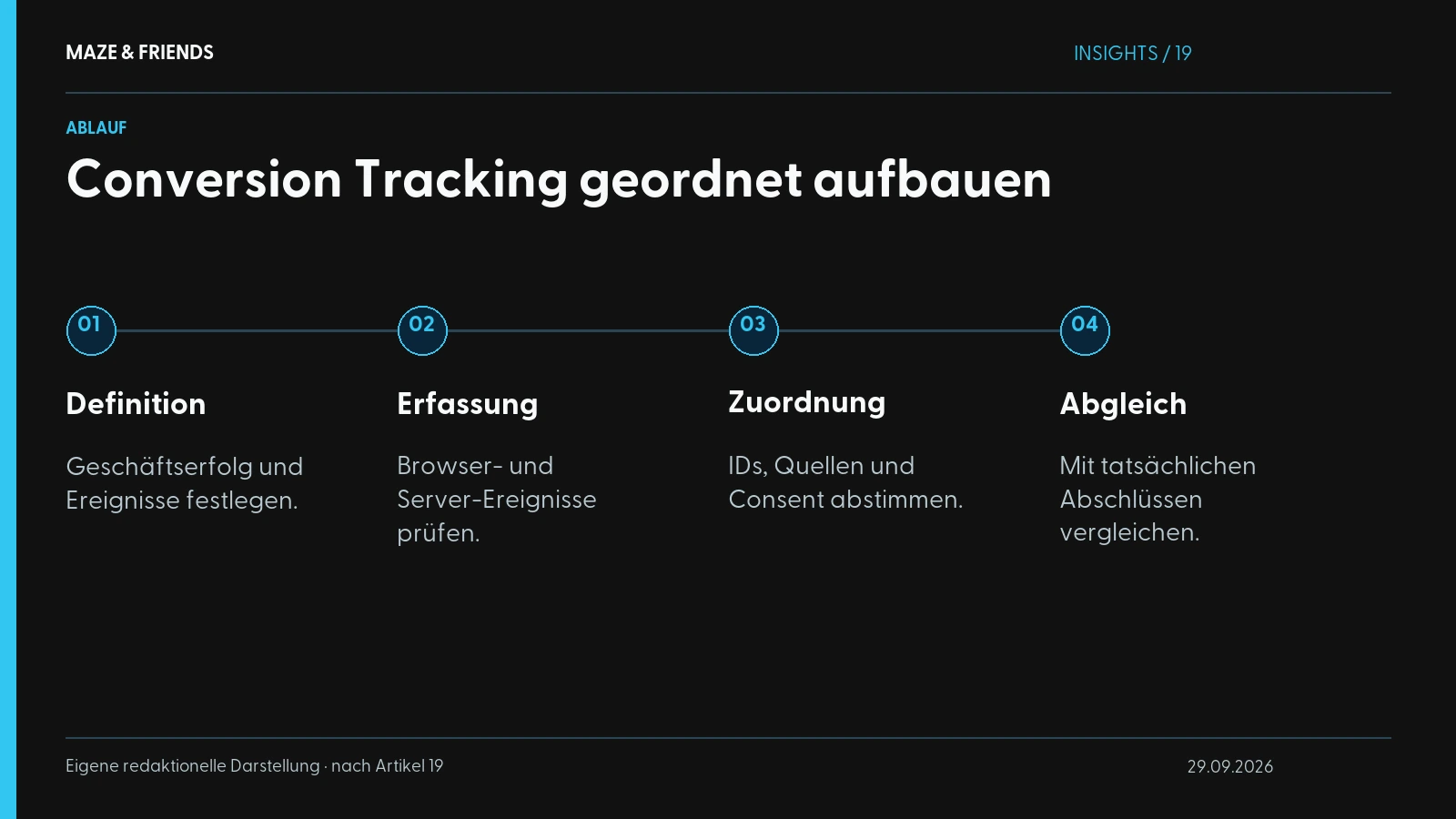
In what order should you build the setup?
From experience: the most common mistake is tackling everything at once. Stick to this order and every step stays verifiable.
- Install GTM and set up the container.
- Integrate consent management and configure Consent Mode, and do this first.
- Set up GA4, define events and key events, check them in debug mode (DebugView).
- Link Google Ads: GA4 import plus a native conversion action.
- Set up the Meta pixel via GTM and configure the standard events.
- Build the server-side layer: server-side tagging, Meta CAPI, Google Enhanced Conversions.
- Activate the Google Ads link in GA4 and define a UTM convention for Meta.
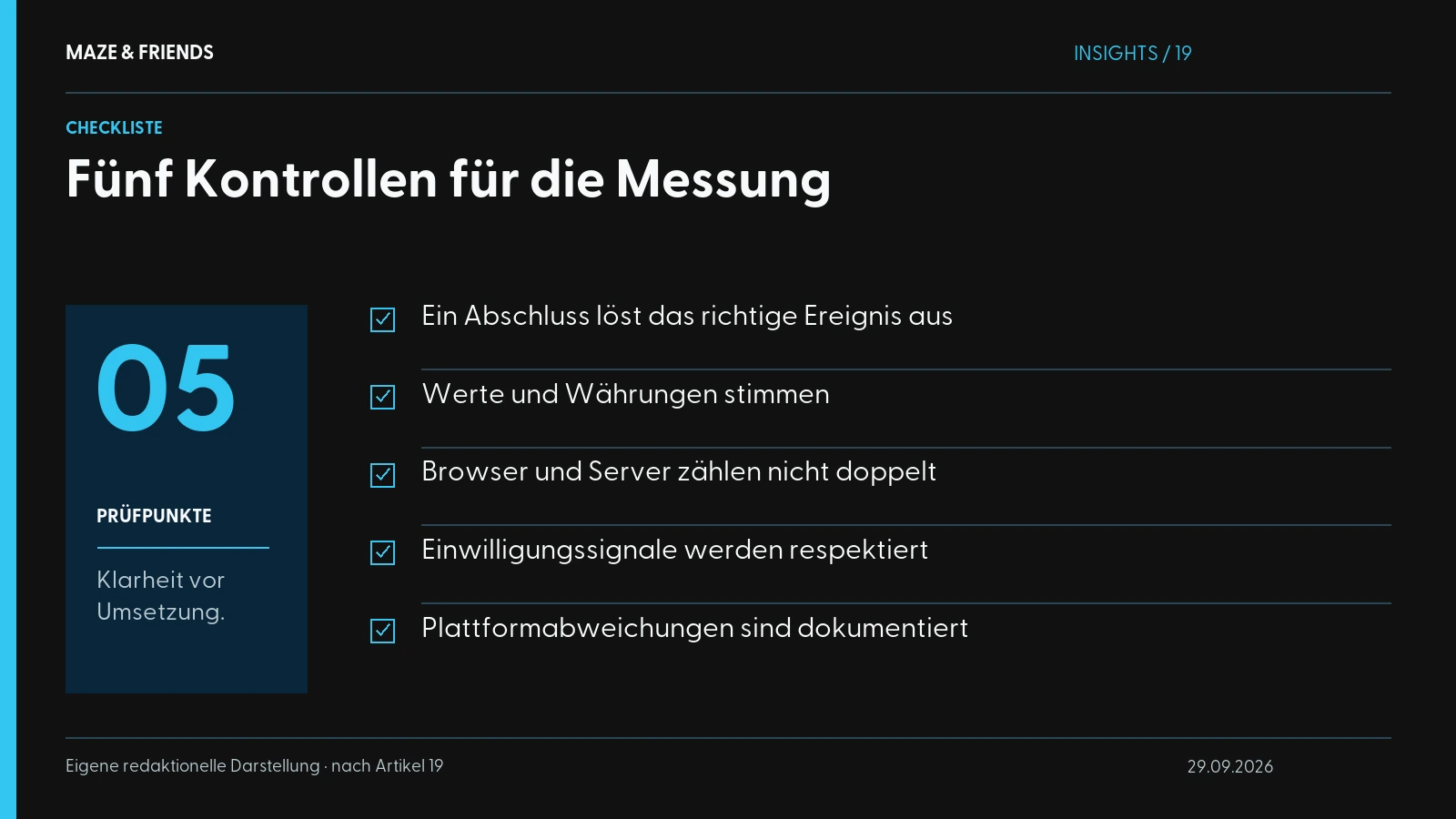
- Validate: click through a test order and check in every system (GA4 DebugView, Google Ads diagnostics, Meta Events Manager) whether the conversion arrives, and that it isn’t counted twice.
Almost everyone skips step 8, yet it decides the quality of your data. A single test order that you follow through all four systems already uncovers most of the typical errors: double counting, tags that don’t fire, missing values.
Which mistakes cost you budget?
- Double counting: the browser pixel and the server event both fire without a shared event ID to deduplicate them. Meta then counts every purchase twice, and the algorithm overestimates the audience. Solution: a consistent
event_idfor deduplication. - Missing conversion values: you report “a purchase”, but not its value. Then no platform can optimise for revenue, only for volume, and it sells you lots of cheap tickets instead of fewer valuable ones.
- UTM sprawl: everyone on the team tags differently. In GA4 one campaign splinters into five variants, and the attribution becomes useless.
- Consent ignored: without a clean Consent Mode, your tracking in the DACH region is patchy and legally vulnerable on top of that.
Measure first, then scale
As long as Google Ads, GA4 and Meta tell different truths, you’re optimising blind, and with double-digit CPCs that quickly gets expensive. A setup with a clean GA4 foundation, linked ad platforms and a server-side layer including CAPI recovers the lost signals and shows which euro actually sells tickets.
In event and ticket funnels, where the path to purchase runs across days, channels and devices, this is exactly what separates “we spend money and hope” from “we know what works”. If you want to sell more tickets through your funnel, our guide to promoting a conference or event properly will also help.
Not sure where your current setup is losing data? Maze & Friends reviews your tracking in the initial call and shows you the specific gaps and whether a server-side layer pays off for you. Book an appointment with Maze & Friends and find out where your budget is currently draining away unseen.
From the studio: Canal Toys: shop, guides and campaigns · kiwiz: content plan and social ads.
Frequently asked questions
What is conversion tracking?
Conversion tracking measures which ad, channel or campaign led to a desired action, such as a ticket purchase, an enquiry or a registration.
Technically, a tag on your website or your server triggers an event when the action happens and reports it to Google Ads, Meta or GA4. The platforms match it to the original ad contact via cookies or click IDs such as gclid and fbclid. This connects ad spend with results, and the bidding algorithms learn to optimise for paying users.
How do I set up conversion tracking in Google Ads?
In Google Ads you create a conversion action or import a GA4 key event and fire the tag via Google Tag Manager.
- Define the action, such as a purchase or lead, with value and currency
- Create the conversion tag and the Conversion Linker in Tag Manager
- Tie the tags to consent via Consent Mode
- Check with a test conversion in Tag Assistant and in Google Ads diagnostics
For more robust attribution, you then add Enhanced Conversions and a server-side layer.
Is the GA4 import or a separate Google Ads conversion tag better?
The most robust option is a combination of imported GA4 key events and a separate Google Ads conversion tag, with only one of the two actions allowed to count for bidding.
The import ensures that Google Ads and GA4 use the same conversion definition. The native tag still supplies Google Ads with data if the import falters. To avoid double counting, you set one action in Google Ads as primary, used for bidding and the Conversions column, and the other as secondary for observation, as the Google Ads Help explains for primary and secondary conversion actions (in German). Differences between the two values are normal, because GA4 attributes differently from Google Ads.
How do I set up conversion tracking for Meta (Facebook and Instagram)?
For Meta you set up the Meta pixel via Google Tag Manager, send standard events such as Purchase or Lead and add the Conversions API.
The pixel and the Conversions API should send the same events with a shared event ID so that Meta recognises duplicates. For GA4 to attribute Meta traffic correctly, append consistent UTM parameters to every ad link, otherwise it ends up as “(not set)” or under the wrong source. You check whether every event arrives with the test tool in Meta Events Manager.
Do I really need Meta’s Conversions API (CAPI)?
Yes, as soon as you put serious budget into Meta ads: the pixel alone loses a noticeable share of conversions through iOS, ad blockers and cookie restrictions.
CAPI reports events from your server directly to Meta and is therefore more robust than the browser. Meta receives more complete signals and optimises more precisely for paying users. It can be implemented via server-side tagging, Meta’s Conversions API Gateway or ready-made integrations in some shop systems. With small budgets, a clean pixel setup is often enough to start with.
What are Enhanced Conversions in Google Ads?
Enhanced Conversions add hashed customer data such as the email address to the conversion report, so that Google can match it to the click even without a cookie.
According to the Google Ads Help (in German), hashed means the data is converted into an unreadable string with SHA-256 before it is sent. This improves attribution for Safari, iOS and purchases across several devices. Hashing does not make the data anonymous, so the same consent rules apply as for any advertising tracking. At Google, together with server-side tagging, they play the role that the Conversions API plays at Meta.
How do I prevent conversions from being counted twice?
You prevent double conversions by having each event count from only one source per platform or, with pixel plus server, by deduplicating via a shared event ID.
According to its developer documentation, Meta recognises a browser event and a server event as the same if the event name and event_id match. In Google Ads, only one conversion action per action should count as primary for bidding, and for purchases a transaction ID prevents a reloaded confirmation step from counting again. Check the result with a test order in all systems. Numbers that look too good are often double numbers.
How do I check whether my conversion tracking is working?
Check your conversion tracking with a real test conversion that you follow through Tag Manager, GA4, Google Ads and Meta Events Manager.
- Tag Manager: check in preview mode whether each tag fires exactly once
- GA4: DebugView and the real-time report
- Google Ads: conversion action status and diagnostics
- Meta: the test tool in Events Manager
It isn’t enough that something arrives at all. Also check value, currency and double counting.
How do I track conversions on a website without a shop?
On a website without a shop, you track enquiries, calls or appointment bookings as separate events, for example via a thank-you page or a form event in Google Tag Manager.
The most reliable option is an event that only fires after a successful submission, for example generate_lead in GA4. You measure clicks on a phone number or email address as a click event, but a click is not yet a conversation. You mark the most important event as a key event and send it back to Google Ads and Meta, so that the campaigns optimise for real enquiries.
What is the difference between CTR and conversion rate (CVR)?
CTR (click-through rate) measures how many people click on an ad; the conversion rate (CVR) measures how many then complete the desired action.
CTR is calculated as clicks divided by impressions times 100, CVR as conversions divided by clicks or visits times 100. Google Ads calculates the conversion rate on the basis of interactions, GA4 on the basis of sessions or users. A high CTR with a low CVR usually points to a gap between the ad and the landing page. Both values are only meaningful if your conversion tracking counts cleanly.
Why should I send conversion values and currency?
Send conversion values: only then do Google Ads and Meta optimise for revenue rather than volume, and only then can you calculate ROAS (return on ad spend).
Without a value, the algorithm will rather sell you many cheap tickets than a few valuable ones. Send the value with a currency code, such as EUR, so that the platforms convert correctly if your ad account and shop use different currencies. For leads without a price, work with an estimated average value per lead and refine it later based on actual sales.
Why do Google Ads, Meta and GA4 show different numbers?
Google Ads, Meta and GA4 show different numbers because each system counts differently: with its own attribution models, time windows and data losses through blockers and consent.
Depending on the settings, Meta also counts conversions after someone merely viewed an ad, while GA4 only fully records sessions with consent and distributes conversions across all channels. On top of that come double counts when deduplication is missing. The numbers will never match exactly. The goal is a consistent data basis with GA4 as the referee and discrepancies you can explain. Large gaps, on the other hand, point to tracking or consent errors.
Can conversion tracking be GDPR-compliant?
Conversion tracking can be implemented in compliance with the GDPR if pixels and tags only send data after consent and consent management and Consent Mode are wired up properly.
This also applies to the server-side layer: you may only send conversions for which consent has been given. Server-side tracking transfers permitted data more robustly, but it does not make consent superfluous and is no trick for getting around the GDPR. This also requires a privacy policy that names all services used, and the necessary contracts with the providers. The legal assessment of your setup is a job for your data protection officer.
How long does a clean conversion tracking setup take?
The duration depends on your shop system, events and consent setup; the basic setup is considerably faster than the server-side layer with CAPI.
What is usually underestimated is validation: a test order through all systems uncovers double counting, missing values and tags that don’t fire. The effort pays off with every subsequent campaign.
Can I set up conversion tracking myself or do I need an agency?
You can set up basic conversion tracking with Tag Manager, GA4 and a pixel yourself if you have a basic technical understanding; for server-side, CAPI and deduplication, experience pays off.
The typical mistakes rarely happen during setup. They show up as soon as the systems work together: double counting, missing values, inconsistent UTM parameters and consent gaps. Stick to a fixed order and validate each step before you build the next one. If you get help, make sure that accounts, containers and pixels are registered to your company. Maze & Friends does exactly the same, so you stay independent.
Next step
Want to know which of this fits your company? We will work it out together in 30 minutes. Free and without obligation.
Pick a time
Manuel Zellnig has been building visibility for companies since 2018: brand film, personal branding, performance marketing and AI visibility. Qualified advertising specialist (Werbeakademie Wien), Bachelor in Business Management (Carinthia University of Applied Sciences), author of the book ‘Mobile Apps zur Messung der Kundenzufriedenheit’ (2017, in German) and creative expert for the Austrian Economic Chamber (WKO) in two transformation guides. He measures before he recommends and writes here about what actually works in projects.
Publications and interviews: WKO transformation guide for printers (in German) · WKO transformation guide for florists (in German) · Interview with Ghezzo (in German) · ‘Heute’ on Viennese start-ups (in German)